
Your first fleet engagement
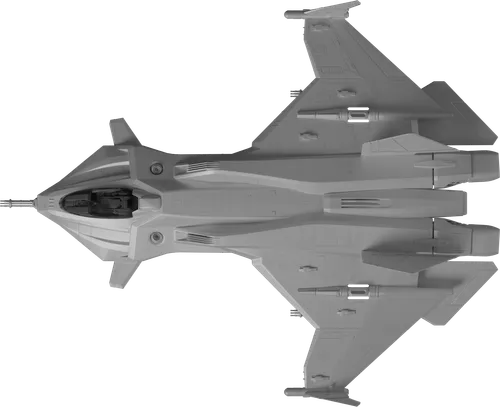
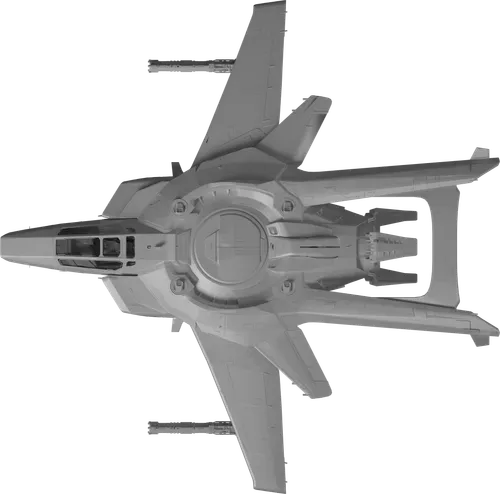
Start small enough to follow individual ships. Choose Run sample battle in the simulator to launch this setup immediately. Presets and the download below remain available for editing first. This starter plan compares two stock Gladiuses with two stock F7C Hornet Mk IIs, with missiles enabled and the same starting conditions for both sides.
This is a learning setup, not a published prediction. Your result uses the ship data available when you import and run the plan.
Import or build both sides
Download the starter plan, open the simulator and choose Import ↑. Select the JSON file. You can also search for each ship, select a model, set its quantity and add it to the friendly or opposing fleet.
Inspect the setup
Open a ship group to review its weapons, shield generators, power allocation and manned-turret readiness. Start with the supplied stock choices. The example uses a 6,000 m starting separation and a five-minute time limit.
Run one engagement
Choose Simulate engagement →. Public runs use the size, duration and rate limits shown in the builder. Included snub craft count toward the ship limit. Export anything you want to keep.
Replay, then change one thing
Watch the first exchange, inspect shield and ammunition changes, and read the combat log. Then change a weapon battery, power allocation or combat behavior and run again. Keep the data version, other settings and random seed consistent when comparing setups.
Try “Does this loadout sustain fire longer?” or “Do these ships recover shields before returning?” A result is more useful when you can explain the difference you were testing.
What affects a fleet battle?
Raw health and damage matter, but they are only part of the comparison. Odyn also considers whether a weapon can engage, whether the ship can keep it on target, and whether ammunition or defensive supplies last.
Weapons & engagement range
Each battery uses its selected weapon profile. Range, projectile travel, aiming, tracking, heat and available ammunition affect its contribution. Fixed forward guns need alignment; turret coverage is an adjustable approximation. Spinal weapons engage medium/large hulls and capitals, with fighters and heavy fighters excluded.
Power & sustained fire
Power changes energy capacity, recharge and shield resistance. It does not increase an individual projectile’s damage. Reserved power represents essential systems and cooling allowances. The DPS preview comes before accuracy, heat and finite-ammunition effects, so it is not guaranteed delivered damage.
Shield faces & recovery
With individual facings selected, the direction of an impact determines which face takes shield damage. Recovery uses that face’s damage or downed delay. A quieter face may recharge while another is being hit. Combined-pool mode instead treats the shields as a single pool.
Armor & structure
Armor uses an approximate penetration check per pellet that weakens as armor wears down. Penetrating hits can damage armor and structure together. The selected critical-structure or total-hull pool determines modeled defeat. This does not reproduce physical armor thickness, weak points or soft death.
Missiles & countermeasures
Missiles and torpedoes launch in pairs, or as a final single round. Launches are staggered and spread across targets. They wait at least one second after the start, and respect lock time, launcher cycles and minimum lock range. Finite decoy bursts cover an incoming wave but can leave missiles tracking. Eligible powered stock point-defense guns can attempt additional interceptions.
Movement & targeting
Ships use SCM speed, turning limits, preferred range and their selected behavior. They try to reach a target’s rear while maintaining hull clearance. Fighters work in two-ship wings and distribute targets between pairs. Valid gun targets are retained until defeated, withdrawn or out of weapon range.
| Control | What to look for |
|---|---|
| Attack passes | Approach, fire and withdraw for capacitor or shield recovery. Enemies can pursue; retreat gives no immunity. |
| Brawl / standoff | Compare closer engagements with longer preferred-range behavior. Speed, turning and opposing movement still constrain positioning. |
| Distance evasion | A configurable range-based modifier to aiming, with different defaults by target class. It represents a planning assumption, not a measured player dodge rate. |
| Manned-turret readiness | Compare available turret contribution. This is separate from a full crew, repair or engineering simulation. |
| Missiles enabled | Compare finite guided-weapon attacks with gun-only engagements. Check remaining decoys and missile outcomes, not just launches. |
Target doctrine favors fighter engagements for fighters, medium/large targets for heavy fighters and medium ships, and capital targets for capitals. Self-defense and weapon eligibility also apply. Initial deployment uses a capital core with progressively lighter escorts outside it; combat movement then follows the engagement rather than holding the starting formation.
Read the result, then inspect the reason.
Outcome & surviving ships
Check the completion reason and remaining ships. A time-limit draw means the engagement was unresolved within that window. It can happen through separation, insufficient penetrating damage or exhausted weapons; it is not proof that the fleets are equally strong.
You can export a comparison baseline and import it for a later completed run. The baseline file stays with you; it does not extend server history retention. Comparisons list version and seed differences, changed settings, and recorded ammunition and surviving shield conditions. Values missing from an older result are not estimated.
Tactical replay
Play at real time, 2× or 5× speed, or scrub the timeline. Drag the map to pan and use the scroll wheel to zoom. Select a ship for its recorded status and enable the weapon-range overlays to inspect engagement distances.
Damage, shields & armor
Follow shield faces where available, armor condition and structure together. Projectile colors distinguish energy, ballistic, spinal and guided fire. A visible trail is a replay aid; the recorded result and log contain the resolved damage.
Combat log & guided-weapon outcomes
The log groups gun activity into time windows and lists missile and torpedo events separately. Inspect launches, hits, evasion, countermeasure use and point defense. Read warnings about excluded weapons or incomplete reference data before drawing conclusions.
Your runs are private to your account, or to your browser when signed out. Completed results are available for up to 12 hours and may be removed earlier to free capacity. Export plans and results for longer-term reference. Organization plans require additional permissions. Use a completed result as a comparison baseline to inspect the next run alongside it; this baseline lasts only in the current page.
Data sources and model limits
Combat reference data comes from a version-pinned Star Citizen Wiki API snapshot ↗. The simulator displays its game-data version and retrieval timestamp. The provider may lag behind hotfixes. Completed runs retain the data used for that engagement, so compare the recorded versions when revisiting results.
Ship names, stock equipment, available health, flight data and weapon statistics inform the model. Aiming, coverage, armor wear, defensive probabilities and simplified movement are Odyn planning assumptions. They are not verified in-game probabilities or a complete recreation of Star Citizen combat.
What this model does not predict
- Pilot skill, network latency, desync or a complete three-dimensional flight model.
- Individual component failures, engineering repairs, weak-point targeting, soft death or collision damage.
- Continuous beam damage, EMP, distortion-driven component shutdown, bombs or external support. Distortion contributes shield damage only.
- Noise-charge behavior. Noise charges are listed separately and do not add usable decoy charges.
Documented included combat craft deploy automatically with stock equipment. Empty hangars do not create fighters. Concept ships without sufficient combat data need a labeled hypothetical reference profile; Odyn does not invent flight statistics for a Kraken or Odin. Hypothetical overrides stay attached to the plan.
Odyn is an unofficial fan project. Star Citizen and its game content belong to Cloud Imperium Games. Top-down ship artwork uses the FleetYards references credited in the simulator.
Star Citizen fleet simulator examples
Each download is an editable plan built from the installed combat snapshot. Import it into the Star Citizen fleet simulator, run one engagement and inspect the replay before changing anything. These setups illustrate comparisons; they do not publish a winner or a win probability.
Two Gladiuses against two Hornet Mk IIs
Start with the four-ship plan above: stock loadouts, attack passes, missiles enabled, a 6,000 m starting separation and seed 2026. Follow the paired targeting, shield condition and withdrawal phases. Save the result as your baseline.
The same fighter matchup, with missiles disabled
This plan keeps the ships, loadouts, behavior, separation and seed from the baseline, and turns off guided-weapon launches. Compare damage, survivors and the timing of retreats. The random sequence can diverge after a setting changes, so this is an illustrative comparison rather than a precise measurement of missile effectiveness.
Four Gladiuses against an Idris-M
Use this setup to inspect weapon eligibility, defensive batteries and armor penetration, not to estimate how many fighters guarantee a capital kill. Fighters use attack passes; the Idris-M uses sustained engagement. Stock weapons and missiles are enabled. Documented included craft deploy automatically if present in the snapshot.
At a fixed replay time, select the capital and inspect its ranges and combat-log firing holds. Its spinal battery excludes fighter and heavy-fighter targets under this model; secondary weapons may still engage. An unresolved result can reflect the time limit or insufficient penetrating damage.
Export your plans and results to keep a comparison. Try another seed separately after understanding the baseline; one run is not a measured chance of winning. Check the recorded data and model versions whenever comparing results.
Before your next test
How do I simulate fleet combat in Star Citizen?
Open the Battle Simulator, select ships for both sides, inspect their loadouts and power settings, then choose Simulate engagement. Start with a downloadable example above. This is a browser-based planning tool that resolves an automated engagement; it does not connect to the game or let you pilot a ship.
What does Odyn’s combat simulator calculate?
It combines published health, shields, flight and weapon statistics with planning assumptions for targeting, aiming, movement, armor wear and guided-weapon defenses. The result includes surviving ships, damage, remaining defensive supplies, a tactical replay and a combat log. Read the data and limitations section before treating the result as evidence for a fleet decision.
Can I compare fighters against capital ships?
Yes, when combat profiles are available for the selected hulls. The fighter-versus-capital example above is one starting point. Weapon eligibility, range, armor penetration and defensive batteries matter: a large health or damage number alone does not determine the result. Hypothetical profiles must remain labeled as assumptions.
Is the Battle Simulator free to use?
Yes. The public Battle Simulator, ship database, trade tools and this guide are available without an account. Optional support helps cover hosting and maintenance.
Does a win mean my fleet will win in the game?
It means that fleet won this modeled engagement under its selected conditions. Test alternative loadouts, behaviors and seeds, inspect the replay, and use the result alongside real pilot and crew experience. One run is not a win-rate estimate.
Can decoys make a ship immune to missiles?
No. A full defensive burst can evade incoming missiles, but each guided weapon can survive the attempt. Decoys are finite, and ships without decoys still use variable modeled avoidance. Eligible point defense is a separate additional attempt. These defenses are planning approximations.
Why is a ship missing from the combat picker?
The ship database covers more hulls than the combat library. A catalogue entry can exist while health, flight or equipment data is incomplete. Use a clearly labeled hypothetical reference hull when appropriate, and keep that assumption visible when sharing a comparison.
Why can the same setup produce the same result?
The simulator uses a random seed. The same scenario, data snapshot, combat model and seed reproduce the same modeled engagement. Change the seed to explore variation while keeping the comparison’s other conditions consistent.
Where do I report a result that looks wrong?
Export the plan and result, note the model and data versions, and describe the moment in the replay or combat log. Bring the details to the Odyn Discord so the engagement can be reproduced.
Start with a baseline.
Start with a small baseline, inspect what happened, then change one condition at a time.
Open the Battle Simulator ↗